



On the Click2Connect platform, proactively posting your sourcing requirements is the most efficient way to link up with high-quality suppliers.
Rather than searching through thousands of companies one by one, it is much smarter to let precisely matched manufacturers come to you with their solutions.
Click the link below to pre-register now and participate in CIFF 2026 immediately, or scan the QR code to join.
https://www.cifffurniturefair.com/the-57th-china-international-furniture-fair-guangzhou/

Here are the five simple steps to get started:
Step 1: Register Click2Connect and Log In to Your Buyer Account
Visit the official Click2Connect website at https://click2connect.ciff-gz.com/. Click the “Sign in” button, then select “Create my account” to register.

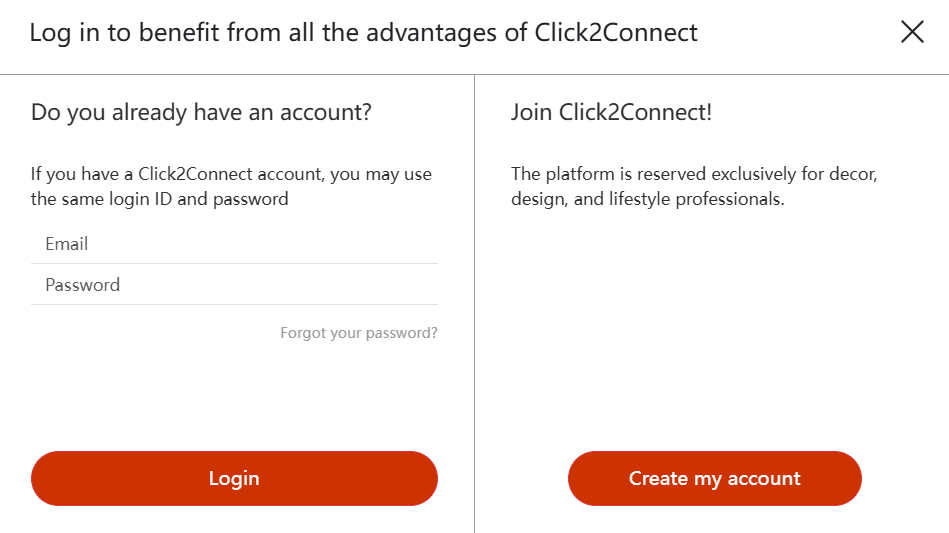
- Pro Tip: Use your official company email to register and complete your profile. This ensures your digital assets are properly saved. Providing a comprehensive background of your company and core business will significantly increase the speed and quality of responses from suppliers.
Step 2: Enter the “Post RFQ” Section
Once logged in, navigate to the Sourcing Requirements page via the header: https://click2connect.ciff-gz.com/requirements/list. Click the “Post Sourcing Request” button to publish your needs.
- Alternative: You can also contact our platform staff directly to submit your information, and they can upload it into the system for you.
Step 3: Detail Your Sourcing Intentions
To get the best matches, be as specific as possible regarding the following:
- Product Category: Specify if you need home furniture (e.g., sofas, dining tables), office furniture, or outdoor products.
- Style and Specifications: Describe your preferred design style, specific dimensions, or material requirements.
- Intended Order Volume: Provide an approximate purchase quantity or number of containers.
- Target Market & Certification: State which market you operate in and list any mandatory certifications (e.g., FSC, BIFMA, CE).
Step 4: Upload Reference Images or Technical Drawings
You can upload product images, design sketches, or specification sheets in the attachment section. This allows suppliers to provide much more accurate quotes and confirm if they have the right production capabilities for your project.
Step 5: Manage and Filter Supplier Responses
After submitting your request, Click2Connect’s intelligent matching system will push your requirements to certified manufacturers in relevant categories.
- You will receive quotes or private messages from suppliers in your dashboard.
- For responses that catch your interest, you can initiate a Zoom meeting invitation directly through the platform to further vet the supplier’s strength online.